
Should you keep a story bible in a notebook or a writing app? Compare paper and digital story bible options and find the hybrid that works.
The Imperative of a Story Bible
In the intricate tapestry of storytelling, whether for novels, screenplays, or even complex game narratives, consistency and depth are paramount. The creative spark, while essential, can quickly become a tangled mess without a system to anchor it. This is where the story bible — a comprehensive, living document of your fictional world — becomes not merely a convenience, but an imperative. It's the repository of your characters' histories, the intricate web of your world's lore, the precise chronology of events, and the myriad of details that lend verisimilitude to your narrative. Without it, even the most brilliant concept risks collapsing under the weight of forgotten names, inconsistent timelines, or contradictory character motivations.
A well-maintained story bible serves as a single source of truth, preventing plot holes before they emerge and ensuring that every detail, no matter how minor, remains consistent across drafts and iterations. For long-form narratives, where months or even years might pass between initial conception and final polish, the human memory simply isn't a reliable enough vessel for such granular information. Imagine crafting an epic fantasy series spanning multiple volumes; remembering the exact shade of a minor character's eyes or the specific properties of a magical artifact introduced in the first book becomes an arduous, if not impossible, task without a dedicated reference.
The story bible liberates the writer from the burden of remembering every minutia, allowing them to focus on the overarching narrative, character development, and prose.
Defining the Core Components
Before delving into the medium of its construction, understanding what constitutes a robust story bible is crucial. While the specifics can vary based on genre and individual preference, certain elements are almost universally beneficial.
Character Dossiers
Each significant character merits their own dedicated entry. This goes beyond a simple name and age. Think about their physical description (including specific details like scars or mannerisms), their backstory, motivations, fears, aspirations, relationships with other characters, unique voice, and even their favorite food or recurring quirks. For complex characters, tracking their arc – how they change and grow throughout the narrative – is also invaluable. Indie-author guidance consistently advises creating dedicated pages for major characters and meticulously tracking consistent details, a practice that aligns perfectly with a structured story bible approach.
World-Building Encyclopedia
For speculative fiction especially, but even for realistic settings, a detailed account of your world is essential. This includes geographical information (maps, significant locations, climate), social structures (governments, religions, customs, laws), technological advancements, economic systems, and any unique flora or fauna. If magic systems are involved, their rules, limitations, and history must be thoroughly documented. This prevents the "magic system breakdown" where powers suddenly appear or disappear without explanation, or their efficacy varies arbitrarily.
Chronology and Plot Outline
A timeline of key events, both internal to the story and preceding it, is vital for maintaining narrative coherence. This can range from a simple bulleted list to an intricate multi-layered timeline. Beyond broad strokes, a detailed plot outline breaking down the narrative into acts, chapters, or scenes helps to track pacing, identify gaps, and ensure a logical progression of events. This section should also document significant plot points, twists, and revelations, ensuring they are introduced and resolved effectively.
Thematic Repository
While less tangible than characters or plot, the underlying themes of your story deserve their own space. What messages are you trying to convey? What philosophical questions are you exploring? Documenting these helps to keep your narrative focused and ensures that your thematic elements are woven consistently throughout the story, rather than feeling tacked on. This can include recurring motifs, symbolism, and the deeper meanings behind events or character actions.
Miscellaneous Details and Research
This catch-all section can house everything from the etymology of fictional names to historical research notes, inspiration images, quotes, or even snippets of dialogue that haven't found a home yet. It's a place to store all the small, often disparate pieces of information that contribute to the richness of your world but don't fit neatly into other categories. This can also include lists of unique vocabulary, jargon, or slang specific to your setting.
When creating a digital story bible, it's essential to consider how the choice of narrator can shape your narrative's perspective and impact. For a deeper understanding of this concept, you can explore the article titled "The Power of Perspective: How the Narrator Shapes Your Story," which discusses the critical role of narration in storytelling. This article complements the idea of using a story bible notebook or a writing journal, whether in traditional formats or through apps, as it emphasizes the importance of perspective in character development and plot progression. To read more about this intriguing topic, visit The Power of Perspective: How the Narrator Shapes Your Story.
The Tactile Allure of the Physical Notebook
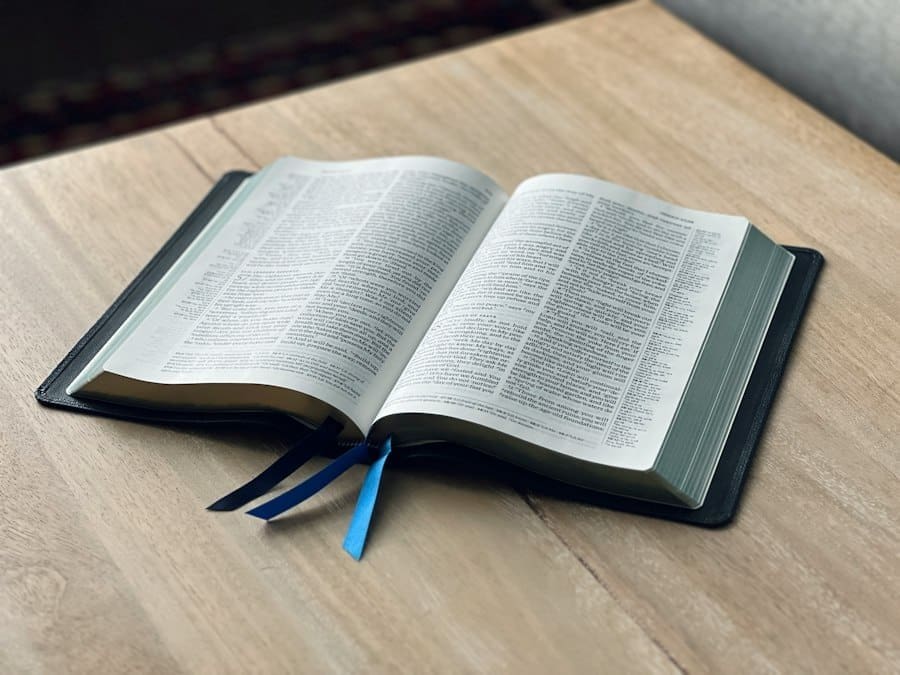
For many writers, the lure of the physical notebook remains potent. There's an undeniable romance in the scratch of pen on paper, the tangible turning of pages, and the freedom from glowing screens. This method, often favored by those who cherish a more organic, less structured approach initially, offers a unique set of benefits and drawbacks in the context of building a story bible.
Unhindered Ideation and Flow
The blank page of a physical notebook can feel less intimidating than a digital interface. It invites a free flow of thought, unconstrained by predetermined fields or formatting. For brainstorming sessions, plotting new twists, or sketching out character concepts, the tactile act of writing can often stimulate different parts of the brain, leading to more spontaneous and creative insights. The absence of notifications and the internet's siren call can foster a deeper level of focus, allowing for uninterrupted immersion in the creative process. Many writers find that the physical act of writing helps them to process ideas more effectively and retain information better.
The Sensory Experience
The smell of paper, the feel of its texture, the visual appeal of handwritten notes – these sensory inputs can enhance the creative experience. Different colored pens can be used for categorization, sticky notes can mark important pages, and hand-drawn maps or character sketches can add a personal, artistic dimension that is difficult to replicate digitally without specialized tools. This hands-on approach can feel more intimate and personal, fostering a stronger connection to the material.
Portability and Accessibility (with caveats)
A small notebook and pen are inherently portable, easily slipped into a bag or pocket for on-the-go inspiration. It requires no power source, no internet connection, and is immune to software glitches. This makes it ideal for capturing fleeting ideas during commutes, coffee breaks, or while experiencing a momentary spark of genius away from a dedicated workspace. However, this portability comes with the significant caveat that a lost or damaged physical notebook is a catastrophic loss of invaluable data. Unlike digital files, there's no inherent backup mechanism without manual transcription or photography.
Limitations and Challenges
Despite its charms, the physical notebook presents considerable challenges when attempting to build and maintain a comprehensive story bible, particularly for large-scale projects.
Searchability and Retrieval Difficulties
Perhaps the most significant limitation is the lack of search functionality. Finding a specific detail – a character's minor quirk or a forgotten historical event – can devolve into a time-consuming flip-through of pages, especially as the notebook grows in size. This can disrupt creative flow and lead to frustration, hindering the very efficiency the bible is meant to provide. Imagine trying to locate every instance of a specific magical incantation across hundreds of handwritten pages.
Organization and Cross-Referencing
While sections can be created with tabs or dividers, true cross-referencing between disparate elements is cumbersome at best. Linking a character's backstory to a specific world event or tracing the impact of a plot point on multiple characters requires manual annotation and page-flipping, which can become unwieldy. The organic, often non-linear nature of notebook use can lead to scattered information, making a consolidated view challenging.
Version Control and Expansion
A physical notebook is static. Revising information means crossing out, rewriting, or adding new pages, which can quickly make the document messy and difficult to read. There's no easy way to track changes over time or revert to previous versions. As a story evolves, and details shift, a physical bible can become a confusing patchwork of amendments. Expanding sections often means adding new notebooks, further exacerbating the search and organization issues.
Duplication and Redundancy
To ensure information is present where needed, writers might find themselves rewriting details in multiple sections, leading to redundancy and the potential for inconsistencies if one instance is updated but another is overlooked. This manual duplication is inefficient and introduces new avenues for error.
The Strategic Power of Writing Applications

In stark contrast to the physical notebook, writing applications, especially those specifically designed for narrative development, offer a strategic powerhouse for constructing and maintaining a story bible. They leverage the inherent strengths of digital platforms to address many of the limitations of their paper counterparts. The latest trends confirm that writing apps are increasingly built with structured "bibles" in mind, emphasizing dedicated sections, headings, folders, and internal cross-references.
Unparalleled Organization and Structure
Digital tools excel at imposing order on complexity. Most writing apps offer robust organizational features, allowing writers to create a hierarchical structure with folders, subfolders, and individual entries for every element of their story bible. This means dedicated sections for characters, locations, plot points, themes, and more, each easily accessible and navigable.
Hyperlinking and Internal Cross-Referencing
A key advantage is the ability to hyperlink between different entries. Mention a character in a plot summary, and with a click, jump directly to their full dossier. Detail a magical artifact, and link it to the specific chapter where it's introduced or its effects are explained. This seamless cross-referencing capability is invaluable for tracking complex interconnections and ensuring consistency across all elements of your narrative. It allows for a dynamic, interconnected story bible that mirrors the intricate relationships within your fictional world.
Powerful Search Functionality
The ability to instantly search your entire story bible for any keyword, name, or phrase is a game-changer. No more frantic page-flipping; a quick search delivers all relevant entries in seconds. This drastically reduces the time spent looking for information, allowing writers to stay immersed in the creative flow. Bible-style journaling apps and general digital note tools are increasingly leaning into search and friction reduction, making notes instantly searchable and portable.
Version Control and History
Digital platforms inherently support version control. Most writing apps (or even general document editors like Google Docs with version history) allow you to track changes over time, revert to previous versions, and see who made what edits. This is crucial for collaborative projects or for individual writers who experiment with different ideas and need to trace their evolution. This feature offers a safety net, allowing for bold revisions without fear of irrevocably losing earlier iterations.
Expandability and Scalability
A digital story bible is virtually limitless in its capacity for expansion. As your world grows and your narrative deepens, you can simply add new entries, folders, or categories without running out of physical space or compromising the overall organization. This scalability makes it ideal for long-form projects, series, or complex interconnected narratives that might evolve over many years.
Enhancements Beyond Basic Text
Modern writing applications offer features that go far beyond simple text editing, significantly enhancing the utility of a digital story bible.
Multimedia Integration
Unlike a physical notebook, digital tools allow for the seamless integration of images, audio clips, videos, and even embedded links to external research. Imagine including concept art for a character, reference photos for a location, or an audio snippet of a character's voice actor for consistency. This multimedia capability creates a richer, more immersive reference document.
Templates and Customization
Many apps offer pre-designed templates for character sheets, world-building documents, and plot outlines, providing a solid starting point. These templates are often customizable, allowing writers to tailor the structure to their specific needs and preferences. This reduces the initial setup time and ensures that all essential information is captured.
Collaborative Capabilities
For writers working in teams (e.g., screenwriters, game designers), digital story bibles enable real-time collaboration. Multiple users can access, edit, and comment on entries simultaneously, ensuring everyone is working from the latest, most consistent information. This prevents discrepancies and streamlines the collaborative creative process.
Export and Backup Options
Digital files can be easily backed up to cloud storage, external drives, or other devices, providing robust protection against data loss. They can also be exported in various formats (PDF, DOCX, etc.) for sharing, printing, or archival purposes, offering flexibility and peace of mind.
Discover the ultimate tool for writers at Story Bible Studio, where creativity meets organization. Enhance your storytelling process with the innovative features of Story Bible Studio. Join a community of storytellers and elevate your writing with Story Bible Studio.
Leading Digital Tools for Story Bibles
The market is rich with applications that cater to writers, each with its unique strengths. While some are general-purpose note-taking apps, others are specifically tailored for narrative development. Google's Gemini Notebook, with its announced features like real-time voice conversations, audio recording, quizzes, and personalized study overviews, demonstrates how even general note tools are evolving to offer more dynamic organization and engagement, which can be adapted for story bible creation.
Dedicated Writing Software
Several applications are designed with the specific needs of writers in mind, offering comprehensive features for both drafting and world-building.
Scrivener
Often considered the gold standard for long-form writing, Scrivener is much more than a word processor. Its "Binder" system allows for meticulous organization of every aspect of your project, including dedicated sections for research, character sheets, location descriptions, and a timeline. Its corkboard and outline views are excellent for plotting, and its internal linking capabilities make it a powerful story bible tool. The ability to split the screen to view notes while writing is invaluable.
Obsidian
While primarily a markdown-based knowledge management tool, Obsidian's "graph view" and robust internal linking (using double square brackets [[ ]]) make it an exceptionally powerful platform for a DIY story bible. Its local file storage, extensive plugin ecosystem, and plain text markdown format ensure future-proofing and extreme flexibility. Writers can create intricate webs of interconnected notes, characters, and plot points, visualizing their story's complexity.
Campfire Write
Specifically designed for world-building and story outlining, Campfire Write offers modules for characters, locations, magic systems, timelines, and more. Its structured templates and intuitive interface make it easy to populate a detailed story bible. It also supports image uploads and custom fields, providing a visual and comprehensive experience.
Aeon Timeline
While not a full-fledged writing app, Aeon Timeline integrates seamlessly with tools like Scrivener and is invaluable for chronological organization. It allows writers to create complex timelines, track events, character ages, and plot points with precision, ensuring temporal consistency across even the most convoluted narratives.
General-Purpose Note-Taking Apps with Advanced Features
Even apps not exclusively designed for writers can be repurposed effectively for story bible creation, especially those with strong organizational and search capabilities.
Notion
Notion is a highly customizable workspace that can be adapted to almost any organizational need. Its database features allow for the creation of intricate character tables, world-building wikis, and plot outlines with custom properties, relations, and views. While it requires some initial setup, its flexibility is unmatched, enabling users to design a story bible precisely to their specifications.
Evernote / OneNote
These digital notebooks offer robust note-taking capabilities, including rich text, image and audio embedding, and powerful search. While less structured for narrative than dedicated writing software, their ability to organize notes into notebooks and sections, combined with tagging and search, can serve as a functional story bible, particularly for those who prefer a less rigid system.
Google Docs / Microsoft Word with Add-ons
While primarily word processors, Google Docs and Microsoft Word, when combined with their respective table of contents features, outlining tools, and perhaps third-party add-ons, can function as a linear story bible. However, their cross-referencing capabilities are typically less robust than dedicated apps, and managing large amounts of disparate information can become cumbersome without a well-defined internal structure.
When creating a digital story bible or deciding between a story bible notebook and a writing journal app, it's essential to understand the underlying themes that drive your narrative. A related article that delves into the significance of theme in storytelling can be found here: the power of theme revealed. This resource offers valuable insights that can enhance your writing process, helping you to craft a more cohesive and engaging story.
The Hybrid Approach: Best of Both Worlds
The most current trend in 2026 comparisons indicates that many people are adopting a hybrid approach, leveraging the strengths of both physical notebooks and digital applications. This methodology acknowledges that creativity isn't always linear or confined to a single medium and that different tools serve different stages of the creative process optimally. Paper, it's observed, excels for tactile creativity, while apps dominate in searchability, portability, and long-term organization.
Leveraging the Notebook for Initial Brainstorming
The physical notebook remains an unparalleled tool for the messy, uninhibited early stages of ideation. When a sudden spark of inspiration strikes, or a brainstorming session calls for rapid-fire thoughts, sketches, and mind maps, the pen and paper offer an immediate, low-friction outlet. There's no boot-up time, no login, no interface to navigate – just raw creative expression. This initial phase can involve character doodling, abstract world concepts, jotted dialogue snippets, or spontaneous plot twists, all captured without the constraints of digital formatting.
The "First Pass" Sanctuary
Think of the notebook as the "first pass" sanctuary. It's where ideas are born, nurtured, and allowed to be imperfect. The tactile nature encourages a more organic, less self-conscious approach, where errors can be easily crossed out and new ideas scrawled in the margins without the perceived permanence of digital text. This freedom from perfectionism can be incredibly liberating and conducive to generating novel concepts.
Transitioning to Digital for Structure and Refinement
Once these nascent ideas have taken shape and demand organization, consistency, and long-term maintenance, the digital story bible takes over. This is where the scribbled notes from the notebook are transcribed, expanded, and integrated into the structured framework of a writing application.
Data Migration and Consolidation
The key to a successful hybrid approach is a regular and efficient migration strategy. Dedicate specific time to transferring your notebook entries into their respective digital sections. This isn't just about copying text; it's an opportunity to elaborate on initial thoughts, refine rough ideas, and begin the process of weaving them into the broader narrative fabric. For instance, a quick character sketch in a notebook can become a detailed character dossier in Scrivener, linked to their backstory and relevant plot points.
Digital as the "Master" Reference
In this hybrid model, the digital story bible becomes the ultimate, authoritative source for all narrative information. While the physical notebook might contain the seeds of ideas, the digital version is the fully grown, meticulously cultivated garden. Any updates, revisions, or additions should ultimately be reflected and consolidated in the digital format to maintain its integrity as the single source of truth. This ensures that when you're deep into drafting, you're always referring to the most accurate and complete information.
Workflow Integration Examples
Consider practical ways to integrate these two mediums:
- Pocket Notebook for Fleeting Thoughts: Carry a small notebook to jot down observations, dialogue snippets, or setting descriptions encountered during daily life. Later, input these into your digital bible's "miscellaneous notes" or a relevant character/location entry.
- Sketchbook for Visuals: Use a physical sketchbook for character portraits, architectural designs for buildings, or fantasy creature concepts. Then, photograph or scan these and embed them into the multimedia sections of your digital bible.
- Dedicated Brainstorming Notebook: Have a specific notebook for intense, unstructured brainstorming sessions for plot twists or character arcs. Once the core ideas solidify, transfer them to the digital outline or character sections.
- Reverse Referencing: Occasionally, if you're stuck while writing on paper, you can quickly consult your digital bible on a tablet or phone for a specific detail, then return to your physical writing.
This hybrid approach acknowledges that creativity often thrives in different environments, allowing writers to harness the spontaneity of paper while benefiting from the organizational power and searchability of digital tools for long-term project management.
When creating a digital story bible, writers often find themselves debating the merits of a traditional story bible notebook versus a writing journal app. Each option has its unique advantages, and the choice ultimately depends on personal preference and workflow. For those looking to enhance their storytelling skills, understanding character roles can be crucial. An insightful article on this topic can be found here, where it explores the top seven character roles that can captivate readers and elevate your narrative.
Cultivating a Living Document
Regardless of the medium or hybrid approach chosen, a story bible is not a static artifact to be completed and then forgotten. It is a living, breathing document that evolves alongside your narrative. Cultivating it effectively ensures it remains a valuable resource throughout the entire writing process.
Regular Updates and Revisions
The initial creation of a story bible is just the beginning. As you write, new ideas will emerge, characters will reveal unforeseen depths, and plot points may shift. It's crucial to integrate these changes into your story bible promptly. Treat it as a continuous feedback loop: write, discover new information, update the bible, and then use that updated information to inform further writing. Delaying updates can lead to inconsistencies creeping into your narrative, defeating the bible's very purpose. Establish a habit, perhaps at the end of each writing session or chapter, to review and update relevant sections.
Tracking Evolution and Growth
The bible should not just record current information but also the evolution of your story. Use features like version history in digital apps to track how characters' backstories or world rules have changed over time. This can be invaluable for understanding the genesis of certain plot points or character traits, and for ensuring that earlier narrative choices are still aligned with the current direction.
The Role of Cross-Referencing
Effective cross-referencing is the circulatory system of a robust story bible. Every time a character interacts with a specific location, every time a plot point hinges on a piece of lore, these connections should be documented. In a digital bible, this means liberal use of internal links. In a physical notebook, it might mean careful page numbering and index creation, although this is far more cumbersome. These connections ensure that when you're editing a character's entry, you're immediately aware of how that change might impact other parts of your narrative, fostering a holistic view of your story.
Avoiding Redundancy Through Linkage
Instead of copying information multiple times, link to the single authoritative source. For example, rather than writing out a character's full biography every time they appear in a plot summary, simply link to their dedicated character dossier. This reduces redundancy, saves time, and ensures that any changes to that biography only need to be made in one place.
The Story Bible as a Creative Companion
Beyond its practical function of maintaining consistency, the story bible can also serve as a powerful creative companion. It’s a resource to spark new ideas, explore unexplored avenues, and deepen your understanding of your own fictional world.
Inspiration and Discovery
When you're stuck, revisit your story bible. Read through character backstories, explore world-building details you haven't fully utilized, or look at the connections between different plot points. Often, a forgotten detail or an unexplored facet of your world can provide the very spark needed to overcome writer's block. The act of documenting encourages deeper thought, often revealing connections and possibilities you hadn't considered during initial brainstorming.
Maintaining Immersion and Voice
A well-developed story bible allows you to dip back into your world at any time, instantly re-immersing yourself in its details, its atmosphere, and its unique voice. This is particularly valuable when returning to a project after a break, helping to quickly re-establish the narrative's tone and consistency. It ensures that your characters' voices remain distinct and their motivations true to their established personalities.
In essence, crafting a story bible, whether through the comforting embrace of paper or the strategic power of digital tools, is an investment in the integrity and richness of your narrative. It's a testament to the idea that true creativity is often best served by structure, allowing the wild tendrils of imagination to flourish within a carefully cultivated framework. By treating it as a living, evolving companion, writers empower themselves to tell stories that are not only compelling but also consistently believable and deeply resonant.
More on Digital Story Bible
Related reading: Crafting Compelling Narratives with Story Bible Studio
Written by Enda Storrie, writer and creator of Story Bible.


